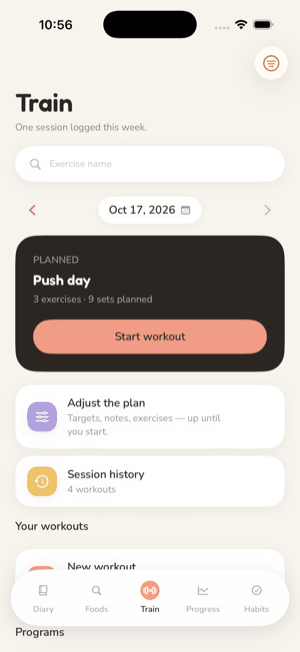
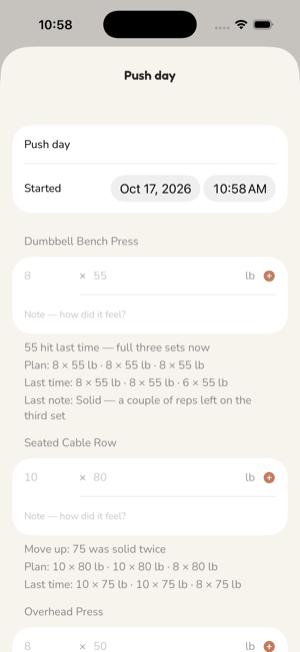
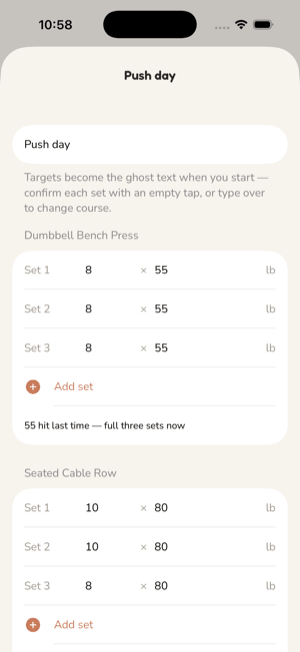
Train is a logbook with a memory. You lift, rate each set with one tap, and the next session's weights follow from those ratings by rules you can read. There is no model guessing at you, and every suggested number says why.
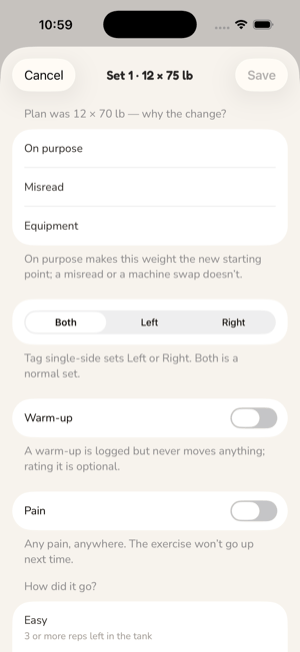
| Rating | Means | Next time |
|---|---|---|
| Easy | 3 or more reps left in the tank | Up one increment, or one more rep |
| Solid | 1 to 2 reps left in the tank | Up one increment, or one more rep |
| Hard | Every rep, last ones grinding, form held | Hold |
| Form broke | Every rep, but technique slipped | Down one increment |
| Couldn't finish | Missed some of the reps | Down one increment |
Easy and Solid move the same single increment on purpose. A bigger jump for "easy" is exactly the runaway progression this exists to prevent. The two bottom ratings ask for a reason: form, one side, or interrupted. An interrupted set repeats the plan unchanged and neither counts for nor against anything.
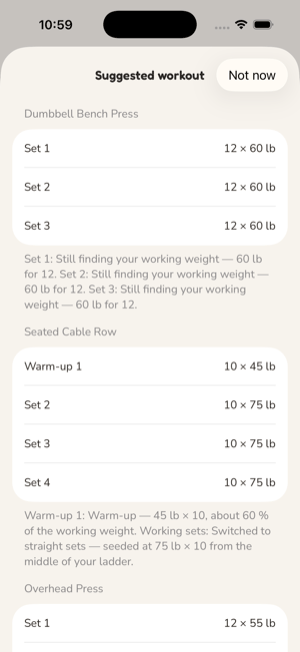
For each set, read the reps done against the rep range and the rating:
Then the overrides, in order:
Finally the move is clamped (at most the exercise's maximum jump up, two increments down), snapped to the equipment's increment grid above its floor, and a ladder is repaired only downward so no set is heavier than the one it should sit under. A set advances on its own result, never because a neighbour moved.
Measured per exercise from its last finished session, never from a schedule; a single skipped session is not a layoff.
| Days since last trained | Effect |
|---|---|
| 7 or more | No advance this session; reps as done. |
| 14 or more | Weight down 10%, bottom of the range. |
| 28 or more | Weight down 20%. |
| 56 or more | Down 20%, then the working weight is found again by calibration. |
A new exercise, or one returning from eight weeks away, is calibrating: up to four sessions in which an Easy set moves the weight up 20% and a Solid set 10%, never more than 20% in one session, at the top of the rep range. The first rating that is not Easy or Solid ends calibration and the ordinary rules take over.
An exercise runs as a ladder (each set its own rung, ascending or descending) or as straight sets (one decision from the worst working set, applied to all of them, with warm-ups prescribed in front at 60% of the working weight). Neither is more correct. Switching seeds the next plan from what you lifted rather than progressing it. A planned light session puts every weight at 90% and is excluded from every count afterwards. Bodyweight exercises climb reps to the top of the range, then hold; the app never says "add weight" to bodyweight.
Every suggested set carries the rule that set it, the weight it moved from, how many increments it moved, your previous reps and rating, and a one-line explanation. The same record goes into the export. History for an exercise is its last ten finished sessions; sets logged before ratings existed read as Solid.
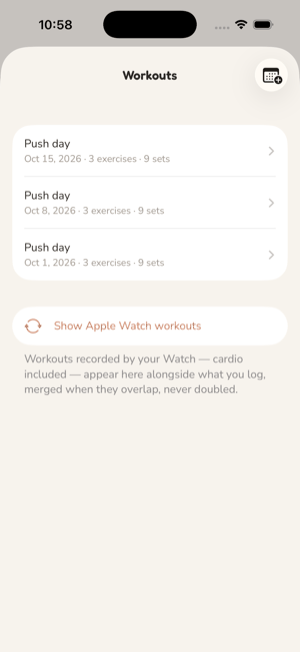
If you connect Apple Health workouts, from Session history or Settings, the app reads the workouts your Watch recorded. A strength block that overlaps a session logged here is the same workout: it adds duration and average heart rate as context rather than appearing twice. A run or a walk the Watch recorded on its own appears in the history as a workout that happened. Nothing is written back to Health, and none of it touches the calorie budget, which already counts the Watch's burn through the movement connection.
See also: Apple Health, Export.