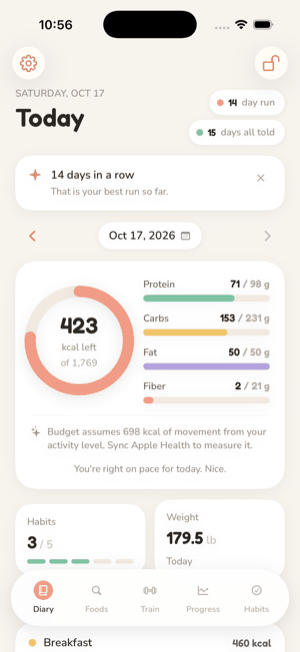
The Diary is the home tab: what you ate today, in four meals, against the
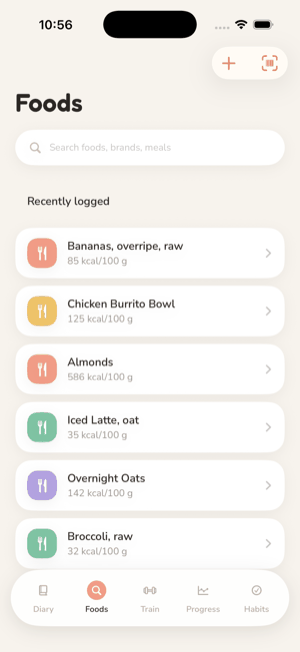
day's budget. Foods is where you find things to log. Both work entirely from
the database inside the app.
The diary
Four meals. Breakfast, Lunch, Dinner and Snacks. Logging
without choosing a meal picks one by the time of day. Logging onto a past day
offers that meal's typical time.
One date for everything. The date at the top of the Diary
is the date Train and Habits look at too, so logging yesterday's meals,
workout and habits is one step back, not three. The date never goes into the
future: the app records what happened.
Totals against the budget. The ring shows calories left
of the day's budget; the bars show protein, carbs, fat and fiber against
their targets. A line under the ring says where the day's movement figure
came from, in words. How the budget is computed is on the
Energy budget page.
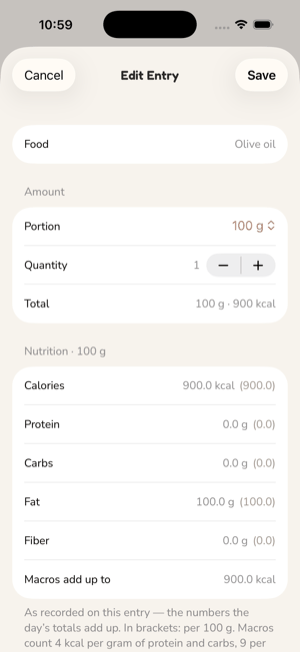
Entries keep their numbers. An entry stores the calories
and macros it had when logged. A later food database update never rewrites
what you already ate.
Edit or move an entry. Quantity, portion, meal and time
can be changed afterwards. A food can be copied to another day with the
values it had, not re-looked-up.
Mark the day complete. A completed day cannot be added
to, edited or deleted until you reopen it. Completing is a commitment, not a
one-way door.
Days logged. The Diary shows a run of consecutive days
with something logged and the number of days logged all told. The run counts
days logged, never days under target: a large day keeps it alive exactly as
well as a small one. Today is not counted against you while it is still
unlogged, and the best run only ever rises.
Finding a food
Search covers the bundled database: foods from the U.S. Department of
Agriculture's FoodData Central (Foundation Foods, SR Legacy and FNDDS, all
public domain) and a subset of Open Food Facts for barcoded products. Ranking
is the same engine the project's command-line tool uses, pinned by shared
acceptance tests, so "chicken breast" lands on the same food in both. Recently
logged foods are listed before you type.
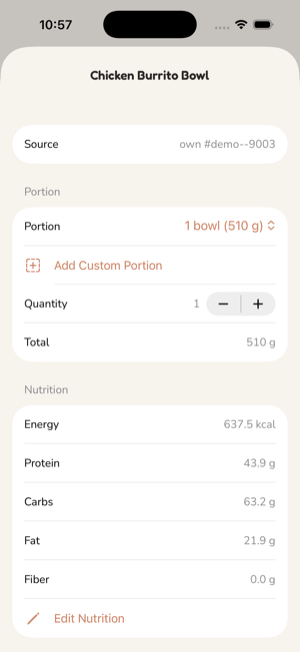
A food's detail screen shows its portions, with the gram weight of each, a
quantity, the meal to log into, and the nutrition for that amount.
Portions, corrections and your own foods
Custom portions. Add a portion with its weight, such as
"1 can (11 fl oz)" at 325 g. It is stored on the device, keyed to the food,
and survives database updates.
Correct a number. If one value for a food is wrong, fix
that value per 100 g. Only the fields you set change; the rest keep coming
from the source.
Custom foods. When no source has a food, create it with
a name, an optional brand and values either per 100 g or per a serving you
name. A pasted https link to a product page can prefill the values from the
nutrition facts the page publishes as structured data.
Label scanning. Photograph or pick a Nutrition Facts
panel and the on-device text recogniser reads it into the form for you to
check. The image is discarded afterwards; it is not stored and not sent
anywhere. It works offline.
Barcodes
The scanner resolves a barcode in three steps: the bundled database first,
then the local cache of past lookups, then, only if neither knows it, a single
request to Open Food Facts for that product. The request contains the barcode
and nothing about you. Offline, the lookup fails after a short timeout and the
scan shows a miss rather than a spinner. A found product is cached on the
device so the next scan is instant.
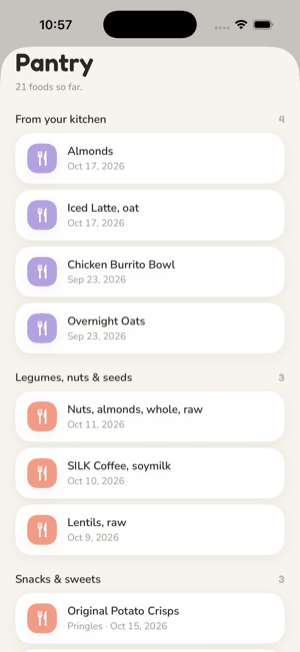
Pantry
Every food you have logged sits on a pantry shelf by category. It is the
record of what you actually eat, and it is what the habit that looks for fruit
and vegetables reads from.
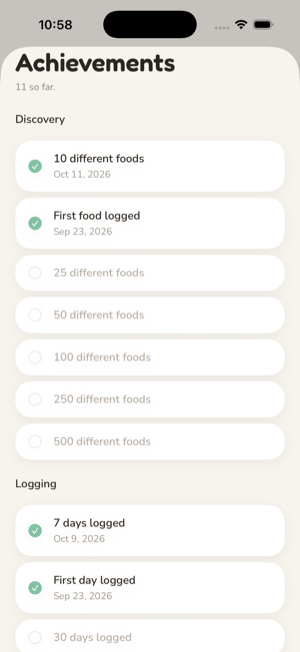
Milestones
A few quiet moments are noticed once each: a number of different foods
logged, a number of days logged across the whole history, gaps and all, and a
best run of days in a row. They appear once and are listed under Achievements
on the Progress tab. Nothing fires when a run ends.
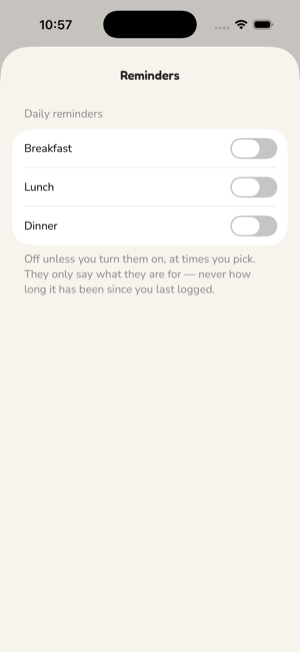
Reminders
Settings › Reminders offers a daily reminder per meal. Each is off until you
turn it on, at a time you pick, and the notification text says only what the
reminder is for. Nothing is sent because you have not logged. Permission is
asked for when you turn the first reminder on, not at launch. These are local
notifications; there is no push service.